
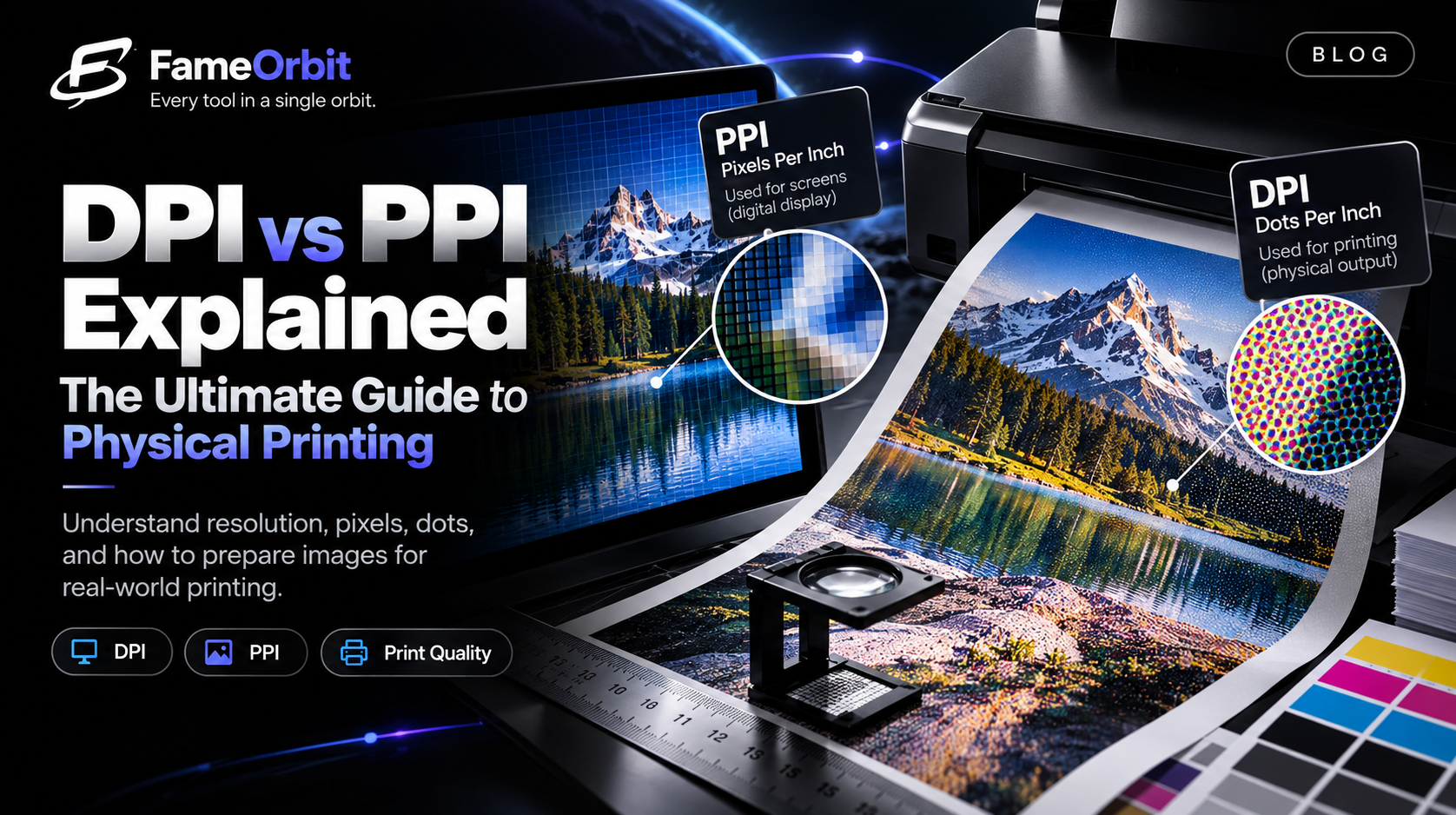
One of the most persistent misunderstandings in digital photography and graphic design is the relationship between pixels, DPI (Dots Per Inch), and PPI (Pixels Per Inch).
Clients frequently send a 1920×1080 digital photograph and ask if setting the file's metadata to "300 DPI" will make it print sharply on an 18×24 inch poster. The answer is no — changing an image's DPI header without increasing its raw pixel dimensions does not add a single drop of new visual detail.
In this guide, we clarify the physics of resolution, the mathematical formula for print dimensions, and the crucial role of viewing distance.
1. The Core Formula: Connecting Pixels to Paper
Digital cameras and monitors operate strictly in pixels (discrete digital sensor elements). Physical printers operate in inches or centimeters. Resolution is simply the density conversion factor:
$$\text{Physical Size (Inches)} = \frac{\text{Pixel Dimension}}{\text{Resolution (PPI)}}$$
A Concrete Example
Suppose your digital mirrorless camera exports an image measuring 6000 × 4000 pixels:
At 300 PPI (Fine Art Standard): $$\text{Width} = \frac{6000}{300} = 20\text{ inches}$$ $$\text{Height} = \frac{4000}{300} = 13.33\text{ inches}$$ Result: Superb photographic sharpness up to approximately $13 \times 20$ inches.
At 150 PPI (Large Wall Poster): $$\text{Width} = \frac{6000}{150} = 40\text{ inches}$$ $$\text{Height} = \frac{4000}{150} = 26.66\text{ inches}$$ Result: Sharp and crisp when viewed from standard room viewing distance (3 to 5 feet).
2. Why 300 DPI Is Not an Absolute Rule
The industry frequently cites "300 DPI" as the golden rule of printing. While 300 DPI is optimal for handheld items viewed from 10 to 14 inches away (photo albums, business cards, art books), human optical acuity limits make 300 DPI unnecessary for larger formats.
The human eye with 20/20 vision can resolve approximately 1 arcminute of detail. As the viewer steps back, the eye's ability to distinguish individual print dots diminishes proportionally:
| Output Medium | Typical Viewing Distance | Recommended Minimum PPI | Recommended Ideal PPI |
|---|---|---|---|
| Photo Print / Magazine | 12 inches (30 cm) | 240 PPI | 300 PPI |
| Framed Wall Photo | 3 feet (1 meter) | 150 PPI | 200 PPI |
| Large Exhibition Poster | 5 feet (1.5 meters) | 100 PPI | 150 PPI |
| Trade Show Booth Banner | 8–10 feet (2.5–3 meters) | 72 PPI | 100 PPI |
| Highway Billboard | 30+ feet (10+ meters) | 15–20 PPI | 30 PPI |
3. DPI vs PPI: What Is the Difference?
- PPI (Pixels Per Inch): Refers to digital display resolution and digital file density. It specifies how many digital pixels are assigned to each linear inch of physical paper.
- DPI (Dots Per Inch): Refers to the physical mechanical droplets of cyan, magenta, yellow, and black ink sprayed by an inkjet or laser print head. A high-end inkjet printer might print at 2400 DPI or 4800 DPI to generate microscopic dithered dot patterns that accurately reproduce a 300 PPI continuous-tone digital photograph.
4. Practical Pre-Print Checklist
Before uploading files to a print fulfillment service (such as Printful, Shutterfly, or your local print shop):
- Verify Source Dimensions: Check pixel width and height in file properties or via FameOrbit Image Resolution Checker.
- Calculate Print Limits: Use our Print Size Calculator to verify your maximum size before pixelation occurs.
- Avoid Destructive Resampling: Never upscale a low-res web thumbnail (e.g. 800×600) to 3000×2000 using standard bicubic interpolation unless using specialized perceptual AI super-resolution models.
- Color Profile Check: Ensure the artwork uses an appropriate color profile (sRGB for consumer print labs, Adobe RGB or CMYK for commercial press houses).